Features
What it checks, what it fixes, what it can't do.
181 checks across four layers. One score. Fixes you approve. And a plain list of its limits.
Four layers of your computer
Every check belongs to one of four layers, so you can see where the weak spot is.
-
01 · 27 checks
Hardware
TPM, Secure Boot and memory integrity.
-
02 · 120 checks
Operating system
Updates, Microsoft Defender, disk encryption, accounts and sign-in settings.
-
03 · 18 checks
Software
Programs with known exploited flaws, programs past end of life, browser extensions and pending updates.
-
04 · 16 checks
Network
Firewall, open ports, Wi-Fi, DNS, proxy, the hosts file and remote access.
Tour of the app
-
Home
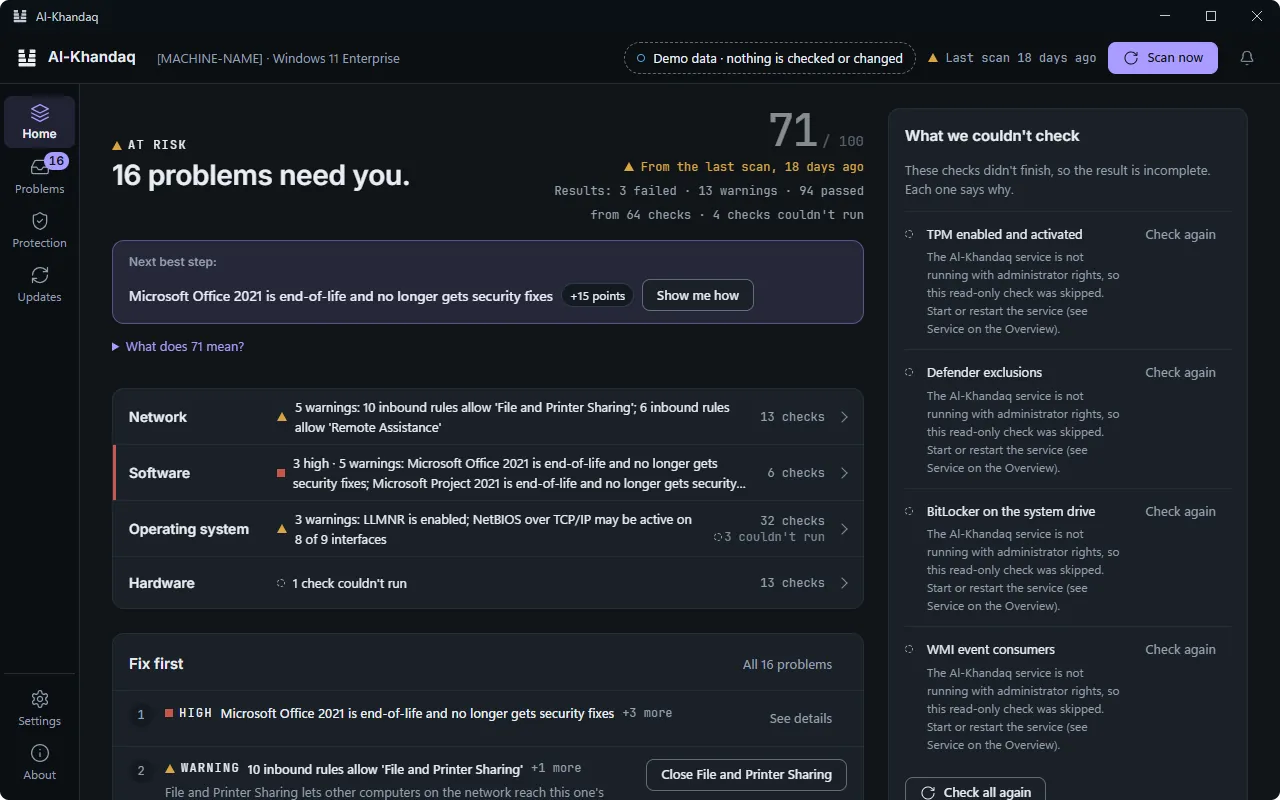
Is my computer safe? One answer.
A score out of 100, a verdict and the next step. And a plain list of what it couldn't check.
-
Problems
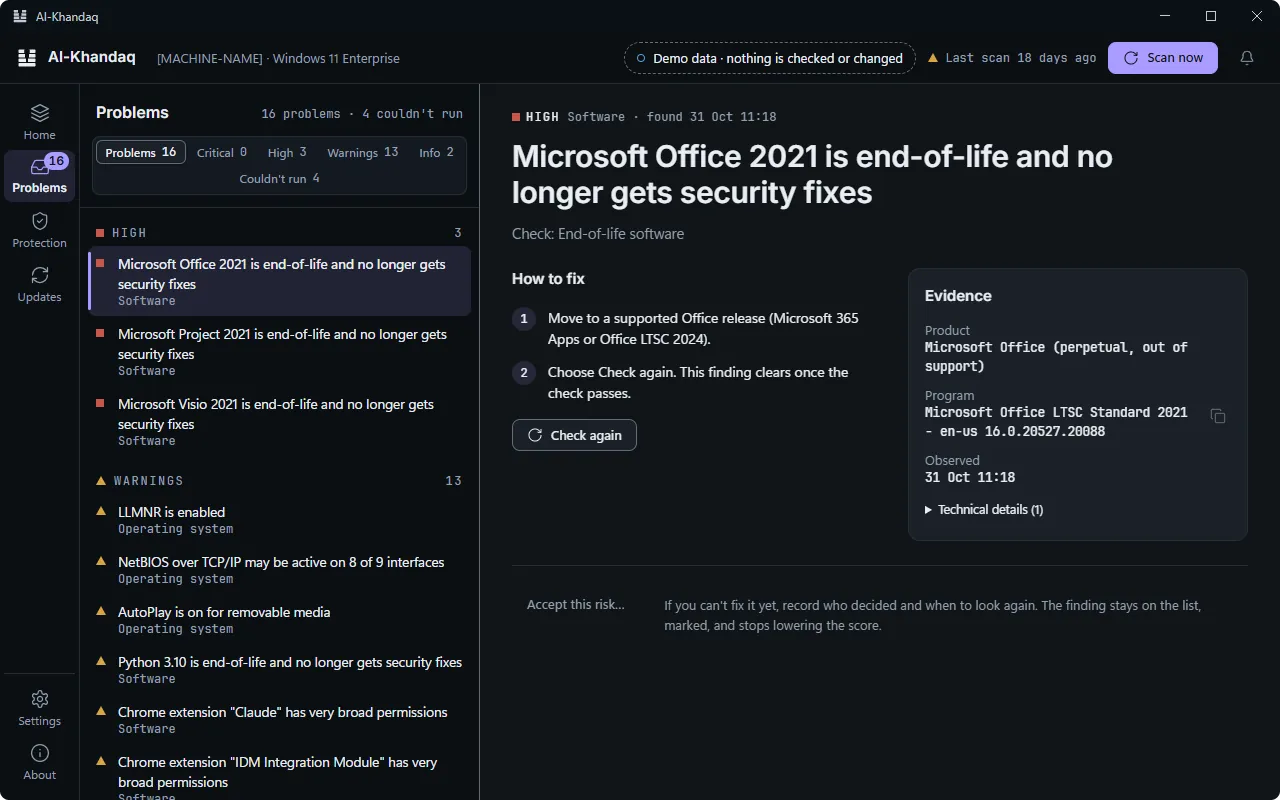
Every problem, with proof.
What was found, why it matters, how to fix it, and the evidence. If you accept a risk, it records who decided and when.
-
Updates
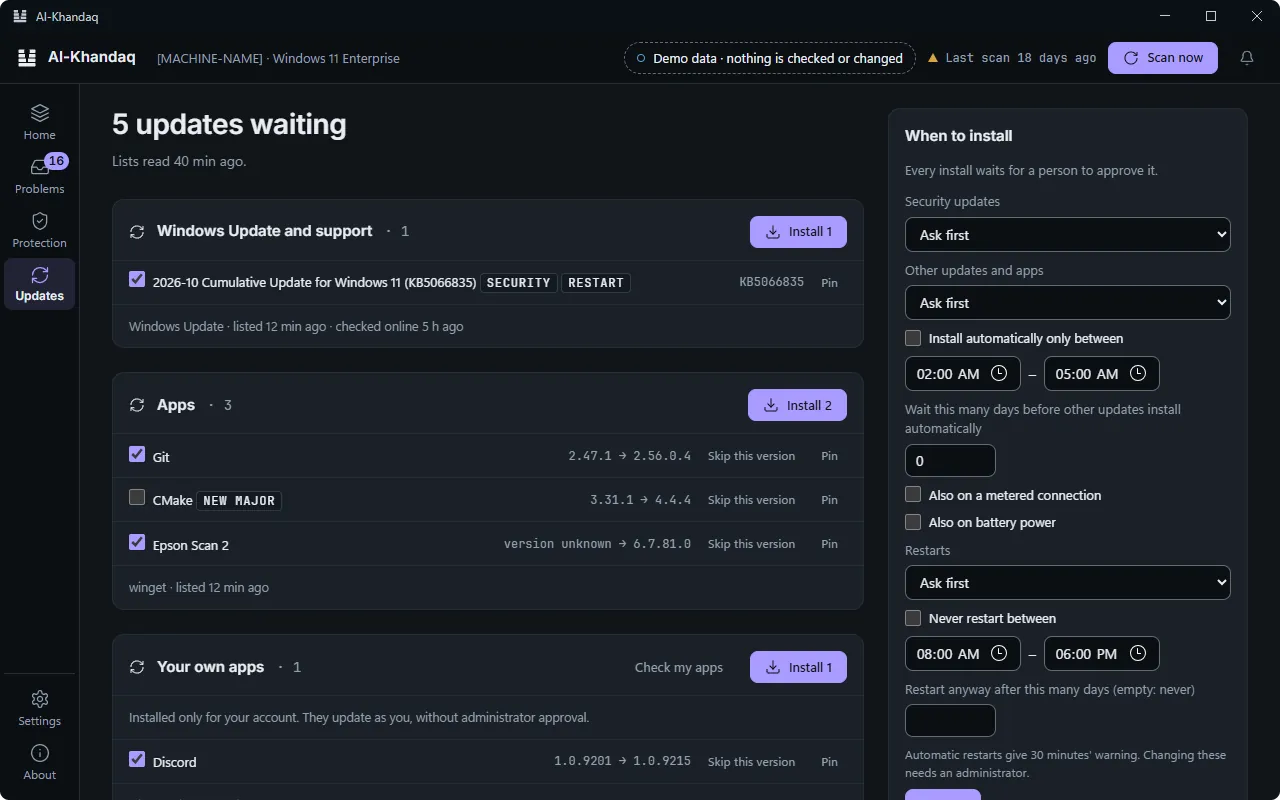
Every update, in one list.
Windows Update and winget side by side. Tick what to install, read the plan, then approve it.
-
History
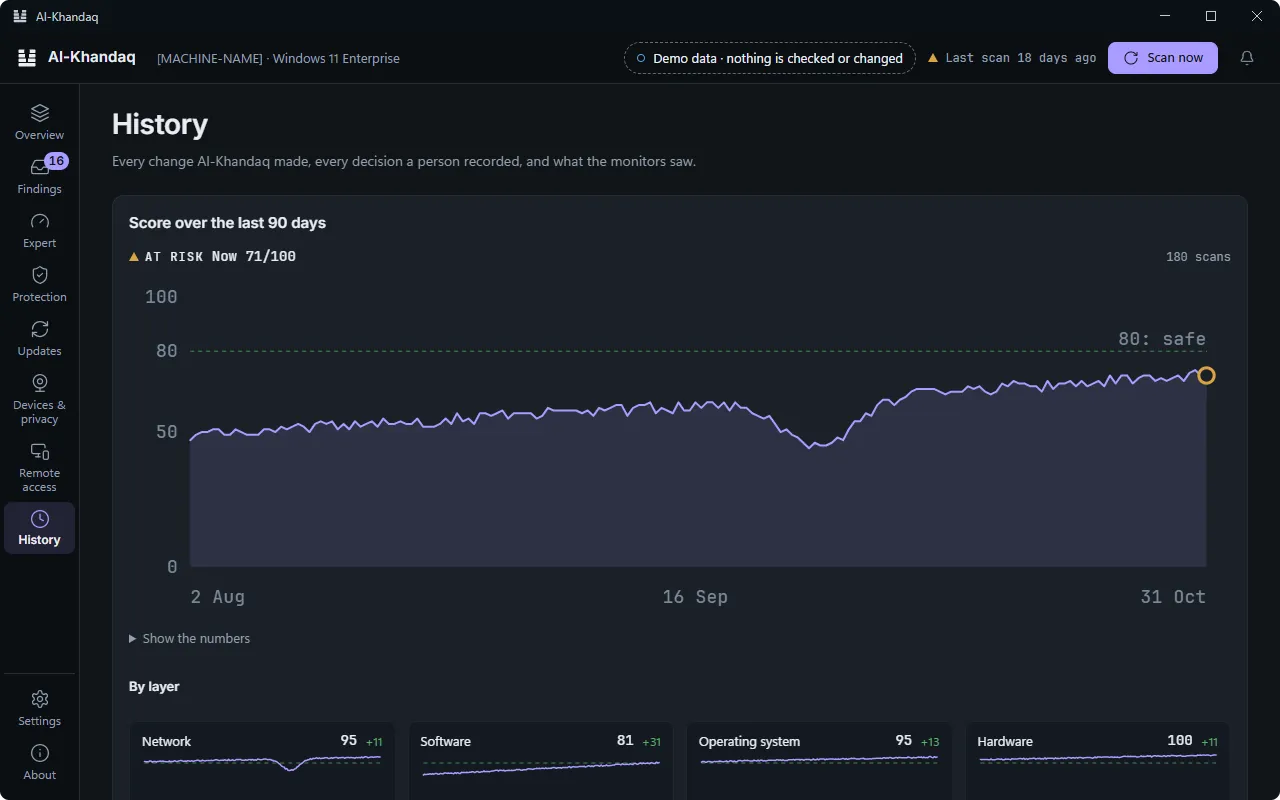
Every change, on the record.
Each fix, who approved it and when. Each risk a person accepted. Everything the monitors saw. Kept on your computer.
Plan · approve · apply
Plan, approve, apply, undo
Each problem comes with the reason it matters and how to fix it. For a one-click fix you see the plan first; an administrator approves it, and most changes can be undone from History.
- Plan
- approve
- apply
- undo
Four gaps in the line.
- Update WinRAROne click
- Turn off LLMNRPart of a hardening profile you can undo
- Close file sharing to other networksSteps you follow
- Forget the open Wi-Fi networkSteps you follow
Illustration based on a real scan, 13 Nov 2026. One-click fixes wait for approval. The plan says whether a fix can be undone.
Features
A score and a verdict
The Overview gives one score and one verdict. Each check repeats on its own schedule, so the answer stays current. When something cannot be checked, Al-Khandaq says so instead of guessing.
Malware scanning (second opinion)
Al-Khandaq scans with its own rules next to Microsoft Defender, watches new files in Downloads, Desktop, Temp and start-up folders, and can move a flagged file into quarantine. It does not replace Defender.
Simple and Expert views
The Simple view shows what to do next. The Expert view adds Fix first, Essential Eight coverage, hardening profiles, changes over time and an incident page for when you think you have been hacked.
Made for low-connectivity places
Checks run locally and use a signed content bundle for threat and vulnerability data, so most checks need no other service. Updates are signed and checked before they are used.
English, Pashto and Dari
The app's screens, findings and steps are in English, Pashto and Dari, with full right-to-left layout.
Private by design
No telemetry and no crash reports. Every connection the app can make is listed on the Privacy page and in the app itself.
What it does not do
- It is not a full EDR product. It looks for common weaknesses and common signs of trouble, and cannot find every kind of attack.
- On Windows it does not block files before they run. Microsoft Defender does that; Al-Khandaq checks that Defender stays on and up to date.
- A good result is not a guarantee. It means none of its checks found a serious problem.
- Some things cannot be seen from the computer, such as multi-factor authentication or third-party backups.